Tech tutorial video maker — Terracotta studio style
Make a tech tutorial video with UI cards floating in light 3D on cream: numbered labels, rolling counters, terracotta plates and italic serif captions.
Incluido en Starter, con todos los 27 estilos más los tuyos · vista previa generada por el motor de ClipOnIt
Así se ve este estilo
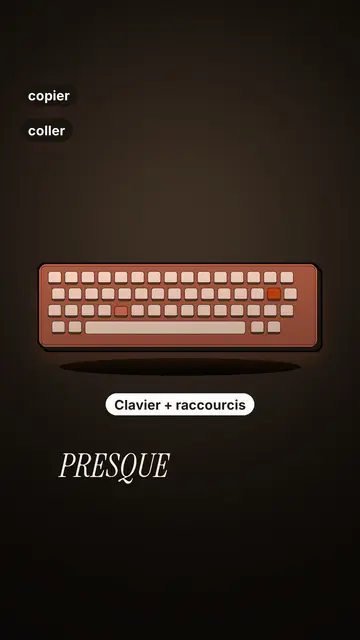
Terracotta studio explains a tool as if on a tidy workbench. On a cream background, interface cards float in light 3D, with real perspective and a warm shadow: an app window, a list of steps, an editing timeline, a sound wave drawing itself, a pad of keys lighting up one by one. At the top, a numbered label (“01”, the tool's name, “free”) says where you are and stays put while that tool is discussed. Each card enters on the word that names it.
The promise lands on a solid terracotta plate: an asterisk, an extra-bold grotesque title and an underlined italic serif word. The key number rolls in a giant counter above a floor of small cards in perspective. Small labels pop around the cards on the strong words, and captions run word by word in uppercase italic serif, the key word in terracotta. The end shows a numbered card and a button that lights up and then gets clicked.
Temas para los que sirve
Avoid: stories carried by characters, places or emotions: the style shows interfaces, lists and numbers, not scenes from life. Also avoid topics without steps or a concrete tool; a card should always show something you can do.
- Tool tutorialsEach tool gets its numbered label and its cards: viewers follow the order without getting lost, even in 30 seconds.
- Tech tipsA shortcut, a hidden setting, a command: the lit keys and the window show the exact move.
- How things workA search, a sound, an edit: the card filling up shows the mechanism step by step.
- Free tools and app round-ups“3 free tools”, “5 apps to install”: the plate announces the number, the end card sums up the list.
Ideas de vídeo en este estilo
- 3 keyboard shortcuts that save time
The lit keys, the closed-tabs window, the clipboard history and the card to keep.
- 5 free sites to find sounds
One label per site, the wave drawing itself, the counter of royalty-free sounds and the final list.
- How AI finds an image in one second
The typed search, the scrolling film strip, the image at the exact frame and the accuracy score.
- Editing a video on your phone
The timeline where clips stack up, the sound meter and the “Export” button clicked at the end.
Consíguelo en 1 clic
- Abrir el enlace de este estilo
El botón “Crear un vídeo en este estilo” abre el editor con este estilo ya elegido. Sin cuenta, registrarse lleva un minuto y no necesita tarjeta.
- Escribe tu tema en una frase
Basta con una idea. También puedes pegar tu texto o, desde Starter, narrar por el micrófono: el vídeo entonces se construye a partir de tu voz.
- Revisa y luego renderiza
La IA escribe las escenas, elige los elementos del estilo y los sincroniza con las palabras, con voz y subtítulos. Tú corriges lo que no encaje y luego el MP4 vertical llega en unos minutos.
Lo que puedes ajustar
For each scene you pick one to three cards out of twelve (window, list, timeline, wave, pads, counter, meter, score, numbered frames, search, film strip or a library element), the numbered label for that part, up to three small labels and the word where each one appears. A terracotta plate carries the promise, a number shot rolls the key figure, and the end card lists your tools with a button. Your own voice works too: everything locks onto the spoken words.
Dibujado en este estilo
9 517 elementos en su biblioteca, con búsqueda por significado. Algunos de ellos:
 Personajes
 Dispositivos
 Documentos y lugares
 Datos
 Decorados
 Interfaces
 Ciencia
 Acciones
Preguntas frecuentes
¿Gratis o no, resultado, usos: las respuestas cortas.
Do I need screenshots of my tools?
No. The engine draws the interface cards from your text: titles, lines, keys, numbers. No screenshot or brand logo is used.
¿Puedo usar mi propia voz?
Yes. Record yourself or import your audio: every card, every key and every caption word locks onto what you say.
How is it different from Clean interface?
Clean interface tells a story in OS-style windows with a clicking cursor. Terracotta studio is built for tutorials: cards in light 3D, a numbered label per tool, terracotta plates and counters.
¿Este estilo está en el plan gratuito?
No, viene con Starter ($29/mes): 15 vídeos al mes sin marca de agua, todos los 27 estilos más los tuyos. El plan gratuito ofrece 3 vídeos al mes con marca de agua en 8 otros estilos: Pixel News, Press paper, Comedy cartoon, Class sketch, Night tale, Social screen, Retro synthwave y Flat vector.
Si te gusta este estilo
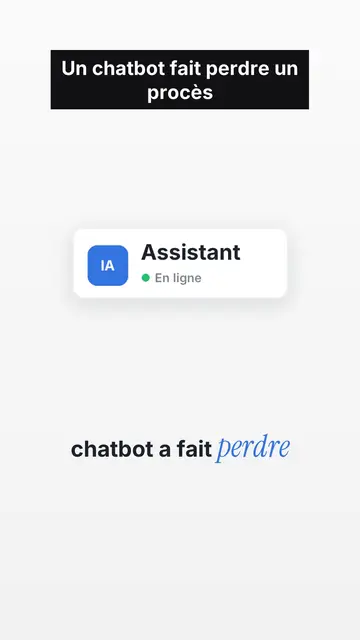
UI motion design explainer video
Clean interface style · The story played out in clean interface cards: windows, buttons, a cursor clicking on the word, key word in serif.
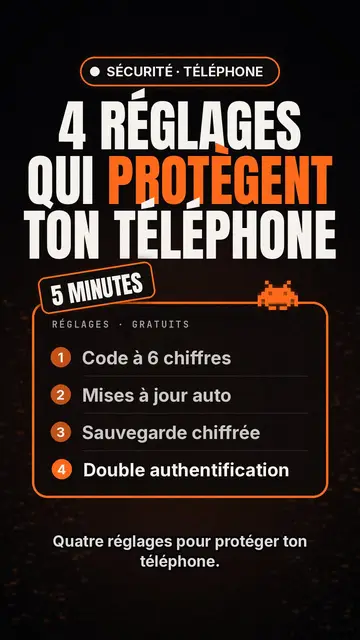
Creador de vídeos de top tecnológico
Estilo lista tecnológica · Tarjeta tecnológica en negro, insignia brillante, lista numerada.
Creador de videos de tipografía cinética
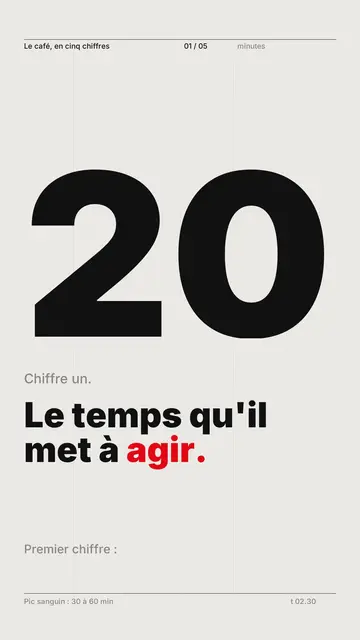
Estilo cuadrícula suiza · Tipografía suiza: papel claro, cuadrícula estricta, cifra gigante, un solo color de señal.
Tu idea, con este estilo
Escribe una frase o dila en voz alta: el estilo ya estará elegido cuando llegues al editor.