AI and privacy explainer video — Glowing eye style
Make a video about AI or privacy with a glowing orange lens-eye watching you: a zoom into the pupil, an orange flash, scores out of 100 and a terminal.
Incluido en Starter, con todos los 81 estilos más los tuyos · vista previa generada por el motor de ClipOnIt
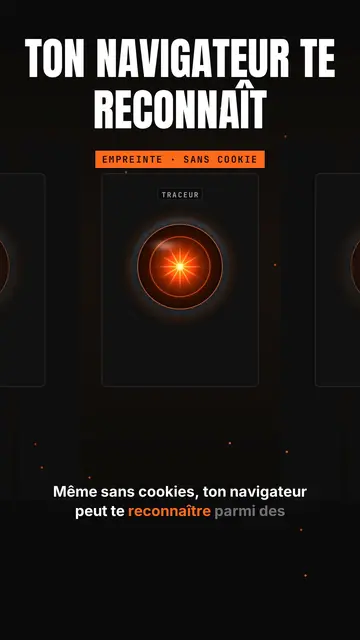
Así se ve este estilo
Glowing eye sets a shining orange lens-eye in the middle of a black background, like a spaceship's onboard computer watching. Above it, a giant title in white condensed capitals, with an orange line below, and a framed orange mono label (“FINGERPRINT · NO COOKIE”). A small tab at the top left and a name above the eye give the feel of a console. Captions run word by word.
The camera dives into the pupil to enter the topic, a beam goes from the eye to a card, and a full-screen orange flash marks the shock fact with a dark mono banner. A row view shows a corridor of eyes in perspective, like a room full of consoles. Cards show scores out of 100, ASCII bars, a terminal, a list or a time counter. The end types the word to comment into a field.
Temas para los que sirve
Avoid: warm, human or childish topics: the eye sets a cold, technical tone. Also avoid topics that need places or characters; everything happens in a console.
- Online privacyThe watching eye makes being tracked tangible, without a distressing image.
- AI tools and agentsThe console and the scores out of 100 give the feel of an audit run by a machine.
- Tool audits and testsASCII bars and the terminal show a measured result, not an impression.
- Shocking tech factsThe full-screen orange flash stops the scroll on the number that matters.
Ideas de vídeo en este estilo
- Your browser recognises you without cookies
The “Tracker” eye, the zoom into the pupil and the orange flash on the EFF study's 83.6% unique browsers.
- I audited my website with an AI
The “/audit” console, scores out of 100 and ASCII bars per criterion.
- What your phone really listens to
The corridor of eyes, the permissions terminal and the time counter.
- The AI agent that codes for you
The beam to the terminal, the task list and the final score.
Consíguelo en 1 clic
- Abrir el enlace de este estilo
El botón “Crear un vídeo en este estilo” abre el editor con este estilo ya elegido. Sin cuenta, registrarse lleva un minuto y no necesita tarjeta.
- Escribe tu tema en una frase
Basta con una idea. También puedes pegar tu texto o, desde Starter, narrar por el micrófono: el vídeo entonces se construye a partir de tu voz.
- Revisa y luego renderiza
La IA escribe las escenas, elige los elementos del estilo y los sincroniza con las palabras, con voz y subtítulos. Tú corriges lo que no encaje y luego el MP4 vertical llega en unos minutos.
Lo que puedes ajustar
For each scene you pick the shot (eye, zoom, rows, flash or end), the giant title and its orange line, the framed label, the console's tab and name, the flash word and its banner, the beam, and one card on the word: score, bars, terminal, list, counter or number.
Preguntas frecuentes
¿Gratis o no, resultado, usos: las respuestas cortas.
Is the eye a reference to a film?
It is a lens-eye drawn by the ClipOnIt engine, in the spirit of sci-fi onboard computers, without copying any existing character.
¿Puedo usar mi propia voz?
Yes. Record yourself or import your audio: the zoom, the flash and the cards lock onto your words.
How is it different from Tech list?
Tech list presents a numbered list on a black card with a glowing badge. Glowing eye stages a watching console, with a zoom into the pupil, a flash and scores.
¿Este estilo está en el plan gratuito?
No, viene con Starter ($29/mes): 15 vídeos al mes sin marca de agua, todos los 81 estilos más los tuyos. El plan gratuito ofrece 3 vídeos al mes con marca de agua en 8 otros estilos: Pixel News, Press paper, Comedy cartoon, Class sketch, Night tale, Social screen, Retro synthwave y Flat vector.
Si te gusta este estilo
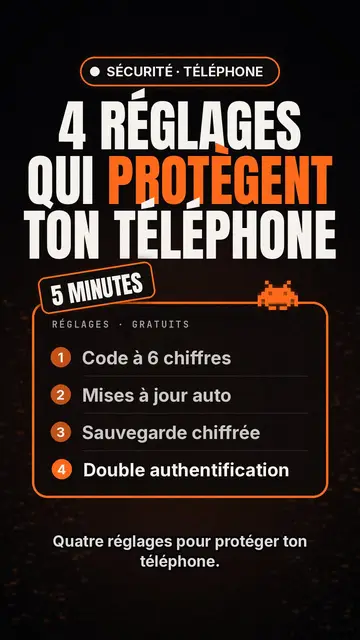
Creador de vídeos de top tecnológico
Estilo lista tecnológica · Tarjeta tecnológica en negro, insignia brillante, lista numerada.
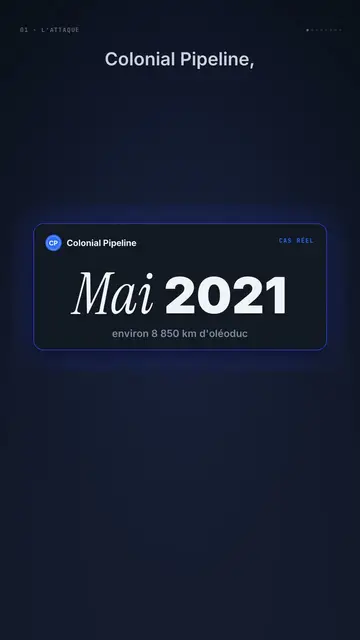
Dark UI tech explainer video
Night interface style · Dark glass cards on midnight blue, narration coming out of blur, blue, cream and black switches.
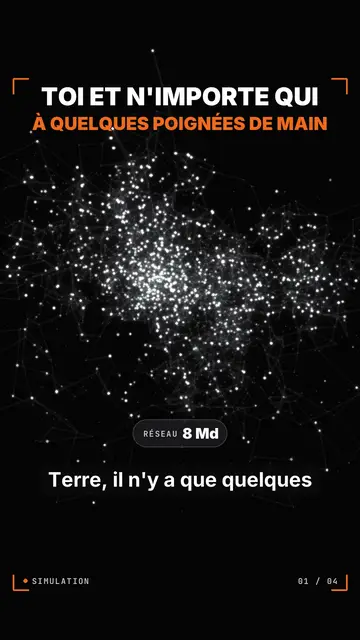
Particle network data video
Particle swarm style · Thousands of glowing dots on black that change colour by camps or by contagion.
Tu idea, con este estilo
Escribe una frase o dila en voz alta: el estilo ya estará elegido cuando llegues al editor.