SaaS product video
Explain what your software does in 30 to 60 seconds: the problem, the feature, the result. ClipOnIt writes, animates and captions; you post on release day.
Free: 3 videos a month with a watermark · 24 visual styles, plus your own

Show the value before the interface
A SaaS video that opens on the home screen loses people. One that opens on their problem keeps them. ClipOnIt illustrates the product idea with animated elements (an overflowing to-do list, a hot server, a table that tidies itself) rather than a screenshot: it does not record your interface.
You can ship one video per new feature, at the pace of your changelog. With the REST API and the MCP server (from Starter), a product team can even generate it from its own tool or from Claude, starting from the release notes.
How to do it in 3 steps
- Describe the feature
Who it is for, which problem, what the feature changes. Three sentences are enough.
- Pick a tech style
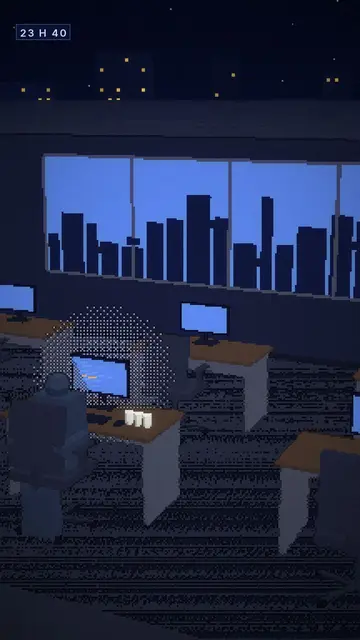
Tech list for a feature list, Voxel night for a developer mood, Minimal line for a clean look.
- Publica
Export the MP4 for LinkedIn, X, TikTok or your launch page.
What people use it for
- Feature announcementA short video for each changelog item.
- LaunchThe video for your Product Hunt page or launch post.
- OnboardingThe first three things to do in the tool, sent by email after sign-up.
- SalesOne video per common objection, to drop into a follow-up.
- HiringWhat the team does and why to join it.

Preguntas frecuentes
Format, voice, pricing: the short answers.
Can I show my interface?
ClipOnIt does not record the screen: it illustrates the product with animated elements. For an interface demo, combine the video with a screen capture in your editing software.
Can I automate one video per release?
Yes, with the REST API or the MCP server, from Starter: a script or an agent sends the topic and gets the MP4 back.
What about 16:9 for my website?
Rendering is 9:16 only. On a web page, a vertical video works well next to the text or inside a phone frame.
In my colours?
Import your own style (2 on Starter, 5 on Pro, 20 on Business) so every video follows your guidelines.
¿Es gratis?
Yes, to start: the free plan gives 3 videos a month with a ClipOnIt watermark, in 8 styles (Pixel News, Press paper, Comedy cartoon, Class sketch, Night tale, Social screen, Retro synthwave, Flat vector), no credit card. Starter ($29/month): 15 watermark-free videos, all 24 styles plus your own, your own voice and the AI Director. Pro $49: 30 videos. Business $149: 100 videos and 3 seats.
Other ways to make a video
- Explainer video maker
- Animated explainer video
- Text to video animation
- Whiteboard video maker
- AI motion design
- Audio to animated video
- Educational video maker
- Faceless video maker
- Script to video
- TikTok explainer video
- Infographic video maker
- News video maker
- Animated story video
- Explainer videos for business
- All tools
Your video, in this style
Write one sentence: the style is already picked when you reach the editor.