TikTok explainer video
Native vertical format, a hook up front, captions readable without sound, and a direct send to your TikTok account: ClipOnIt makes the explainer video end to end.
Free: 3 videos a month with a watermark · 24 visual styles, plus your own
What TikTok expects from an explanation
On TikTok, the first second decides. An explainer there opens with the question or figure that intrigues, then keeps the pace: one scene per sentence, nothing static for more than two seconds. ClipOnIt scripts are written that way, with a hook up front and a question at the end to spark comments.
Many watch without sound: word-by-word captions are burned in at the pace of the voice. Once rendered, connect your TikTok account to send the video as a draft or post it directly, at the time you choose. Add the trending sound in the TikTok app if you like.
How to do it in 3 steps
- Ask the question
The topic your community is curious about, in one sentence.
- Pick the style
Social screen to talk about the web, Flash brief for news, Pixel News for a timeline.
- Send to TikTok
Draft, direct post or scheduled, from ClipOnIt.
What people use it for
- Reply to a commentA follower's question becomes the next day's video.
- Trend explainedWhere the current trend comes from and why it works.
- Themed series“One minute to understand…”, one episode a day.
- Today's newsThe day's story, put in context.
- BrandA useful tip tied to your product, without an ad tone.
Recommended styles
- Free
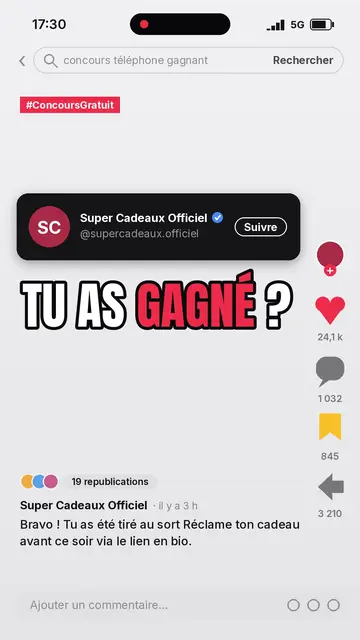
Pantalla social
A recreated, generic social-network interface, to talk about creators and algorithms. Included in the free plan.
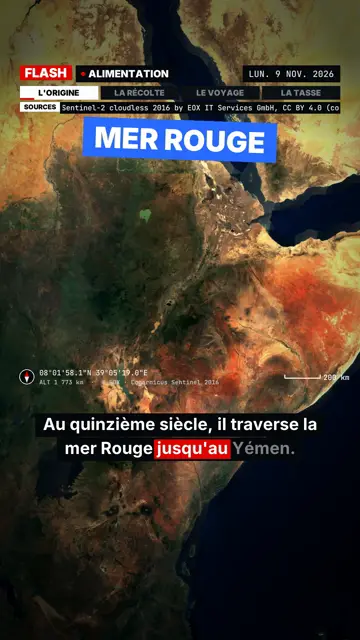
Flash brief
News pace without a dull second, slammed captions and sound effects, to stop the thumb.
- Free
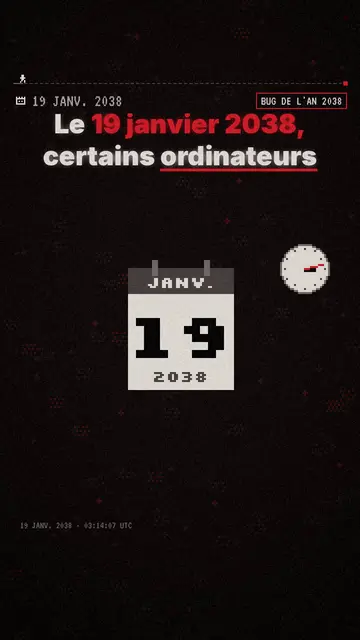
Pixel News
TV-news pixel art, very recognisable in the feed. Included in the free plan.
Preguntas frecuentes
Format, voice, pricing: the short answers.
What length for TikTok?
Between 30 and 60 seconds for an explanation: enough for a full idea, short enough to be rewatched.
Is posting automatic?
You choose: a draft in your TikTok account, a direct post or a scheduled one. TikTok settings (privacy, comments) stay yours.
What about Reels and Shorts?
The same 9:16 MP4 fits Instagram Reels and YouTube Shorts: download it and post it.
Does the watermark show?
On the free plan, yes, with a “Made with ClipOnIt” end card. Paid plans are watermark-free.
¿Es gratis?
Yes, to start: the free plan gives 3 videos a month with a ClipOnIt watermark, in 8 styles (Pixel News, Press paper, Comedy cartoon, Class sketch, Night tale, Social screen, Retro synthwave, Flat vector), no credit card. Starter ($29/month): 15 watermark-free videos, all 24 styles plus your own, your own voice and the AI Director. Pro $49: 30 videos. Business $149: 100 videos and 3 seats.
Other ways to make a video
- Explainer video maker
- Animated explainer video
- Text to video animation
- Whiteboard video maker
- AI motion design
- Audio to animated video
- Educational video maker
- SaaS product video
- Faceless video maker
- Script to video
- Infographic video maker
- News video maker
- Animated story video
- Explainer videos for business
- All tools
Your video, in this style
Write one sentence: the style is already picked when you reach the editor.