Animated explainer video
Characters that react, objects that come in at the right time, a camera that follows the story: ClipOnIt animates your explanation scene by scene, on your narration.
Free: 3 videos a month with a watermark · 24 visual styles, plus your own
Why animation helps people understand
Text on screen gets read, animation gets followed. When a character opens a door as the voice says “enter”, viewers have nothing to translate. ClipOnIt places each animated element on the word it illustrates, and each scene lasts as long as its sentence, which keeps a steady pace without manual editing.
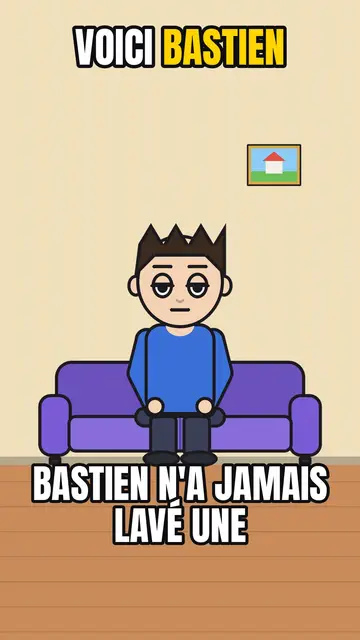
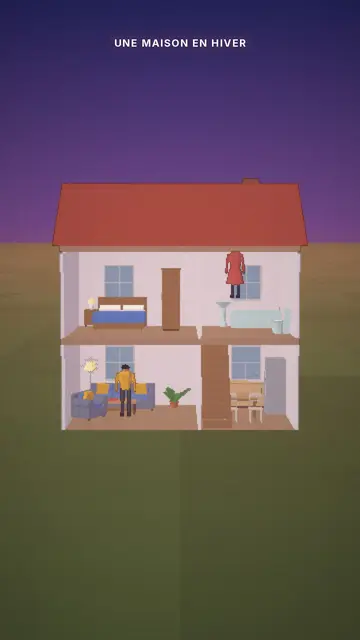
Animated styles range from comic cartoon to big-headed office toons and the cutaway house where each room lights up. Elements are drawn for their style: a mug in Comedy cartoon has a different line than a mug in Office toon, so the video stays consistent from start to finish.
How to do it in 3 steps
- Describe the situation
Write what happens: who, where, what problem, what solution. One sentence or a paragraph.
- Pick an animated style
Comedy cartoon to make people smile, Office toon for work, Cutaway house for everyday life.
- Render the video
AI composes the scenes, voice and captions. You review, adjust and export as MP4.
What people use it for
- Explaining a processA sign-up, a refund, a tax return: the steps acted out by a character.
- Telling a customer storyThe customer's problem, what changed, the result, in three or four scenes.
- Raising awarenessA hygiene, safety or prevention rule, shown rather than recited.
- Making people smileEveryday struggles as a sketch, for an account built for shares.
- Supporting a lessonA concrete situation that illustrates the concept before defining it.
Recommended styles

Preguntas frecuentes
Format, voice, pricing: the short answers.
Do characters stay the same?
Yes, within a style characters keep their look from one scene to the next. You can swap an element for another one from the library if you want a different character.
Can I animate a specific logo or product?
You can import your own style so visuals match your brand (2 imported styles on Starter, 5 on Pro, 20 on Business). In the built-in styles, objects are generic.
How many scenes does a video have?
It depends on the narration length: roughly one scene per sentence. A short narration makes a brisk video, a longer one gives each scene room to breathe.
Is there music?
Yes: each style has its own music bed and sound effects, whose volume you can set or mute. You can also import your own music, or add a trending sound when you post on TikTok.
¿Es gratis?
Yes, to start: the free plan gives 3 videos a month with a ClipOnIt watermark, in 8 styles (Pixel News, Press paper, Comedy cartoon, Class sketch, Night tale, Social screen, Retro synthwave, Flat vector), no credit card. Starter ($29/month): 15 watermark-free videos, all 24 styles plus your own, your own voice and the AI Director. Pro $49: 30 videos. Business $149: 100 videos and 3 seats.
Other ways to make a video
- Explainer video maker
- Text to video animation
- Whiteboard video maker
- AI motion design
- Audio to animated video
- Educational video maker
- SaaS product video
- Faceless video maker
- Script to video
- TikTok explainer video
- Infographic video maker
- News video maker
- Animated story video
- Explainer videos for business
- All tools
Your video, in this style
Write one sentence: the style is already picked when you reach the editor.