Whiteboard video maker
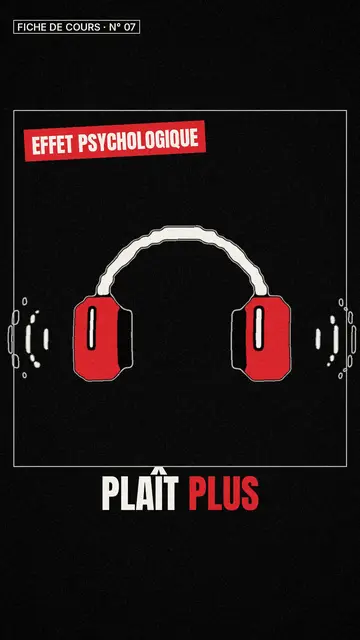
The Class sketch style draws your explanation in black line art with red accents, on a numbered sheet. Each sketch arrives when the voice mentions it.
Free: 3 videos a month with a watermark · 24 visual styles, plus your own
The whiteboard, short-form
Whiteboard videos work because they move at the pace of speech: you watch the idea being built. ClipOnIt keeps that principle with lively line sketches that come in on the spoken word, numbered like a revision sheet. The drawing hand of classic whiteboard videos does not appear; the sketches draw themselves.
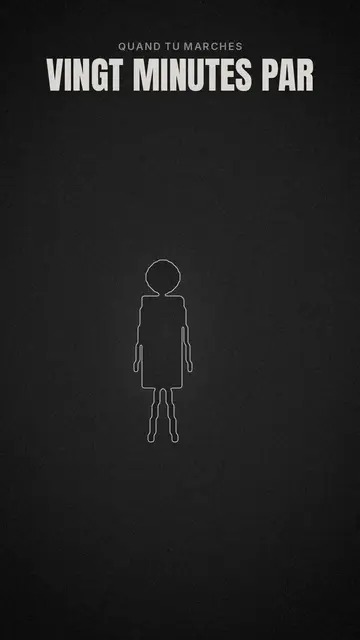
The format is vertical, made to be watched on a phone. It suits a class concept, a step-by-step method or an idea you want people to remember. For a cleaner look, Minimal line uses thin white strokes on charcoal with a single red accent.
How to do it in 3 steps
- Write the concept
For example “photosynthesis in 4 steps”, or paste your lesson outline.
- Keep Class sketch
The button link opens the editor with this style already picked.
- Review and render
Check the order of the steps, then export the MP4 with voice and captions.
What people use it for
- Revision sheetA chapter's key points, numbered, to review before an exam.
- Step-by-step methodA recipe, a calculation, a process: one step per sketch.
- Internal onboardingHow a team works, explained to newcomers.
- Pitching an ideaThe problem, the solution, the benefit, drawn in front of the viewer.
- Expert tipA coach or consultant sharing a method without filming themselves.
Recommended styles
- Free
Class sketch
Lively black sketches on a numbered sheet with red accents: the closest to a whiteboard. Included in the free plan.
Línea minimalista
Thin white line on charcoal, one red accent: the clean blackboard.
- Free
Vector plano
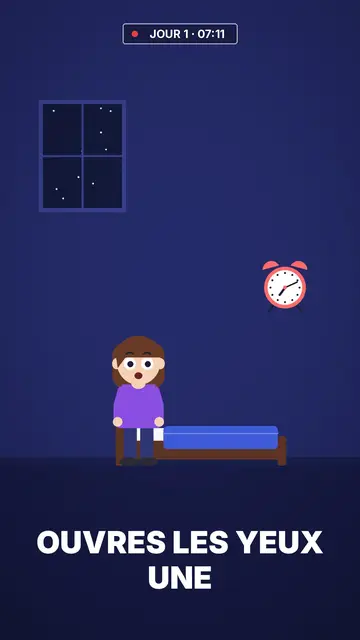
Flat colour vector, when you want sketch clarity with more colour. Included in the free plan.
Preguntas frecuentes
Format, voice, pricing: the short answers.
Is there a drawing hand?
No. Sketches appear and animate on their own, synced to the voice. The result keeps the whiteboard spirit in a vertical format.
Can I make a horizontal video?
No, ClipOnIt renders only in 9:16 (1080×1920), for TikTok, Reels, Shorts and stories.
Are sketches drawn for my topic?
They come from the style's library, searchable by meaning: AI takes the ones that best show each sentence. If one does not suit you, ask for a scene variant (paid plans) or pick another one.
Is it suitable for school?
Yes, it is the most common use of this style: concepts, methods, revision. Always check the content before showing it to a class.
¿Es gratis?
Yes, to start: the free plan gives 3 videos a month with a ClipOnIt watermark, in 8 styles (Pixel News, Press paper, Comedy cartoon, Class sketch, Night tale, Social screen, Retro synthwave, Flat vector), no credit card. Starter ($29/month): 15 watermark-free videos, all 24 styles plus your own, your own voice and the AI Director. Pro $49: 30 videos. Business $149: 100 videos and 3 seats.
Other ways to make a video
- Explainer video maker
- Animated explainer video
- Text to video animation
- AI motion design
- Audio to animated video
- Educational video maker
- SaaS product video
- Faceless video maker
- Script to video
- TikTok explainer video
- Infographic video maker
- News video maker
- Animated story video
- Explainer videos for business
- All tools
The full guide: AI educational videos for teachers and trainers
Your video, in this style
Write one sentence: the style is already picked when you reach the editor.